
How to Choose the Right Help Desk Software
Choosing the right help desk software is not about picking the tool with the most features. It is about finding one that your team will actually use daily and that your customers will benefit from. Most teams switch tools not because the software is bad, but because it does not match how they work. This guide keeps it simple and practical so you can make a clear decision.
Start With Your Support Workflow
Before looking at tools, look at your current support process.
Where do customer requests come from
How are tickets tracked today
Who handles each type of issue
What causes delays or confusion
If your workflow is unclear, even the best help desk software will not fix it.
Define What You Actually Need
Do not chase features you may never use. Focus on what your team needs right now.
Core requirements most teams need:
Simple ticket creation and tracking
Clear ownership for each ticket
Basic automation for repetitive tasks
Easy reporting for performance tracking
Integration with email and chat tools
If you run a SaaS business, your needs will be slightly different.
For Help desk software for Saas teams
Integration with product and user data
Ticket tagging based on user activity
Priority handling for paid customers
Fast internal notes for team collaboration
API access for custom workflows
Compare Tools Based on Real Usage
Instead of reading long feature lists, test how the tool feels.
What to check during trials
The interface feels simple and easy
Tickets move smoothly across stages
Team members understand it quickly
Notifications are clear and useful
Setup does not take too long
If your team feels confused in the first few hours, adoption will be a problem later.
Check Pricing Beyond the Base Plan
Pricing is not just the monthly cost. Look at how it scales.
Things to review carefully:
Cost per agent as the team grows
Charges for automation or integrations
Limits on tickets or usage volume
Hidden costs in higher plans
Support access in lower tiers
Many teams pick cheap tools early and switch later when costs rise.
Evaluate Support and Reliability
Check how reliable their support is. You will depend on it when things break.
What to look for:
Fast response from their support team
Helpful documentation and guides
Active updates and product improvements
Stable performance with no downtime
Clear roadmap for future features
Match the Tool With Your Team Size
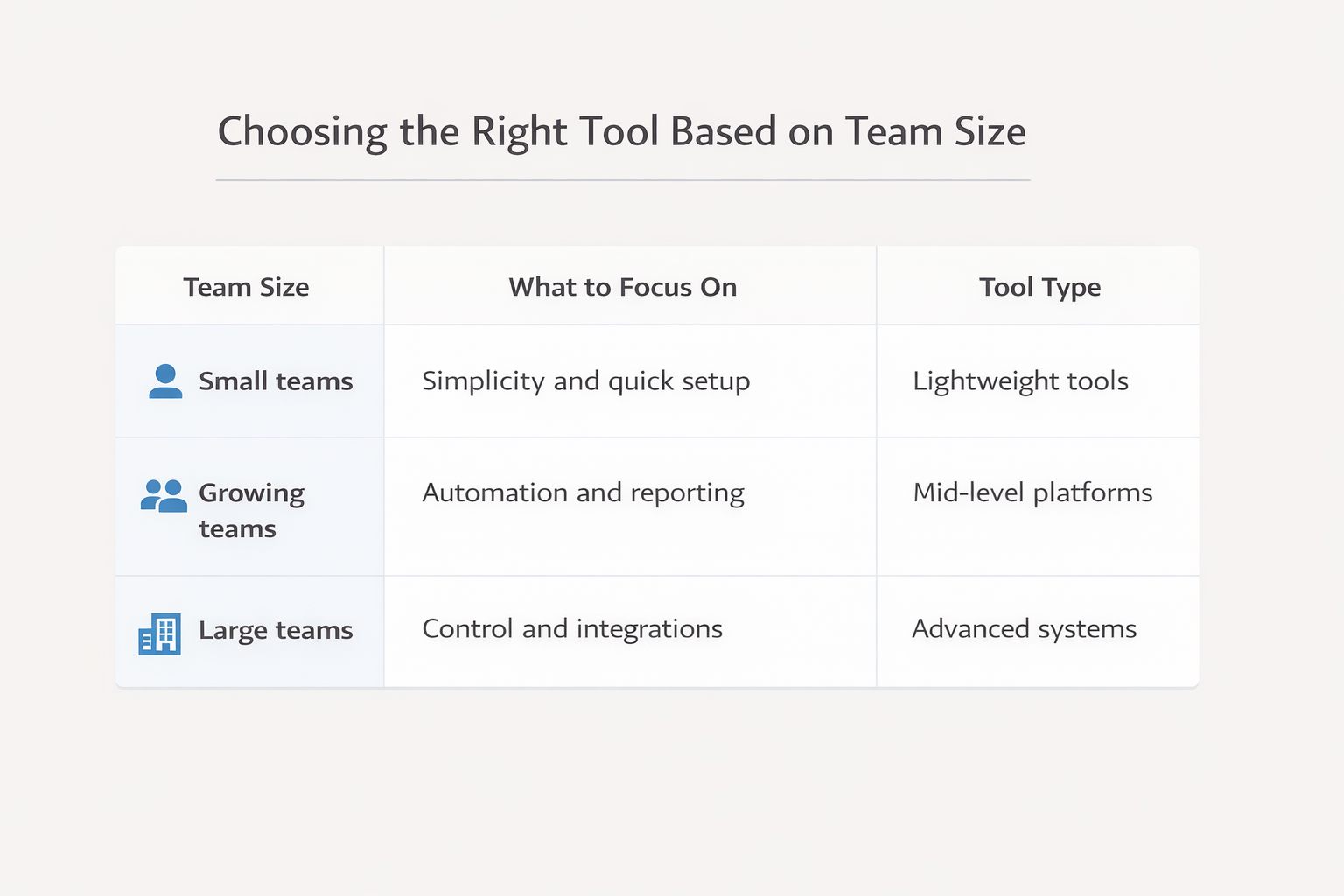
Choosing the right help desk software depends on your team size and how your support work is structured. What works for a small team may not scale as you grow.
Team Size | What to Focus On | Tool Type |
|---|---|---|
Small teams | Simplicity and quick setup | Lightweight tools |
Growing teams | Automation and reporting | Mid-level platforms |
Large teams | Control and integrations | Advanced systems |
For Help desk software for Saas teams, choose tools that grow with your product and user base.
Test With Real Scenarios
Do not rely only on demos or feature lists. Test the tool using real support scenarios.
Run these quick tests:
Create tickets from actual queries
Assign tasks across team members
Track response and resolution time
Check how updates are shared
Review reporting after the test period
This gives you a clear picture of how the help desk software performs in daily use.
Avoid These Common Mistakes
Many teams repeat the same errors when choosing tools.
Mistakes to avoid early on:
Choosing based on brand popularity only
Ignoring team feedback during trials
Overpaying for unused features
Skipping integration checks with tools
Not planning for future team growth
Frequently Asked Questions
What is the most important feature in help desk software?
Ticket management and clear ownership are most important. Without that, even advanced features do not improve the quality of support.
How do I choose help desk software for SaaS?
Look for tools that connect with your product, track user activity, and support priority handling for different customer tiers.
Is free help desk software enough for small teams?
It can work in the beginning. As your ticket volume grows, you may need better automation and reporting features.
How long should I test a help desk tool?
A 7 to 14-day trial with real support queries is enough to understand how it fits your team.
Can I switch to a different help desk software later?
Yes, but switching takes time and can affect the quality of support. It is better to choose carefully from the start.
Related Posts

Key Help Desk Features For Finance Teams
Discover key help desk features for finance teams. Improve control, tracking, and compliance with the right setup while keeping workflows simple and efficient.

Why Help Desk Systems Fail After Implementation
Learn why help desk systems fail after implementation. Fix adoption issues, improve workflows, and track ROI to get better results from your support setup.